
Step-1 Accessing to the income tax portal
1.1: To begin, open your preferred web browser and go to www.Incometax.com
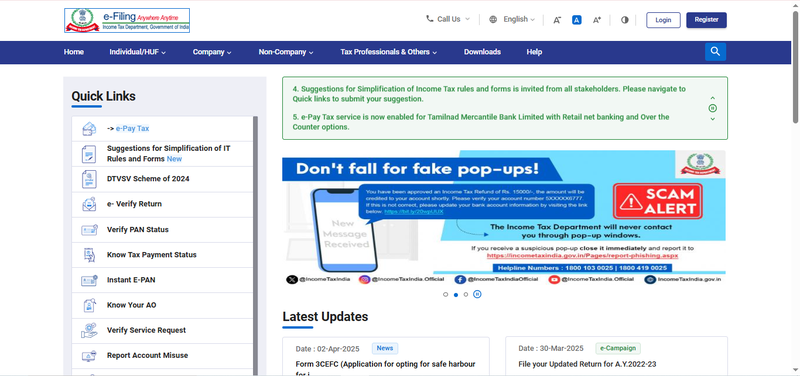
Step-2: Navigate to the Quick link section
2.1: On the income tax homepage, locate the quick link section on the left-hand side.
2.2: click on the e-Pay tax option.
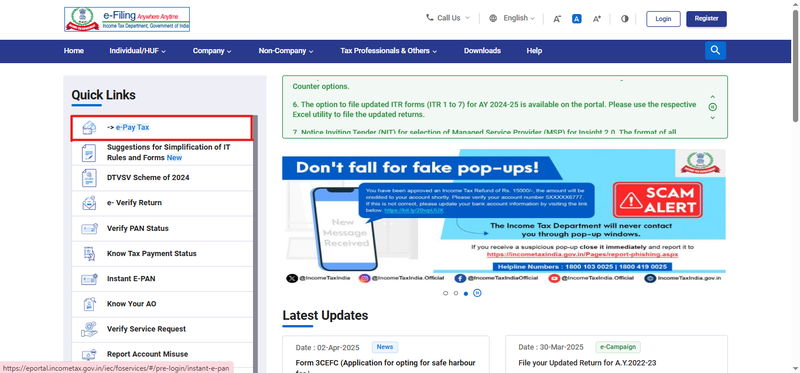
Step-3 Selecting the E-Pay Tax Option
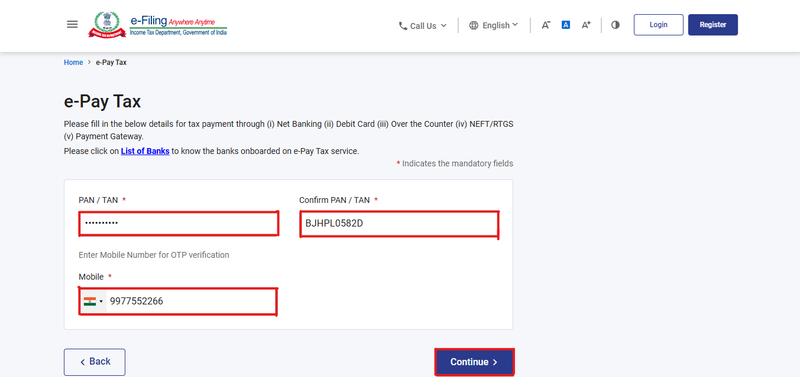
3.1: After clicking on E-Pay Tax, enter your PAN/TAN number and re-enter it to
confirm.
3.2: Enter your mobile number for OTP verification and click Continue.
Step-4 OTP Verification
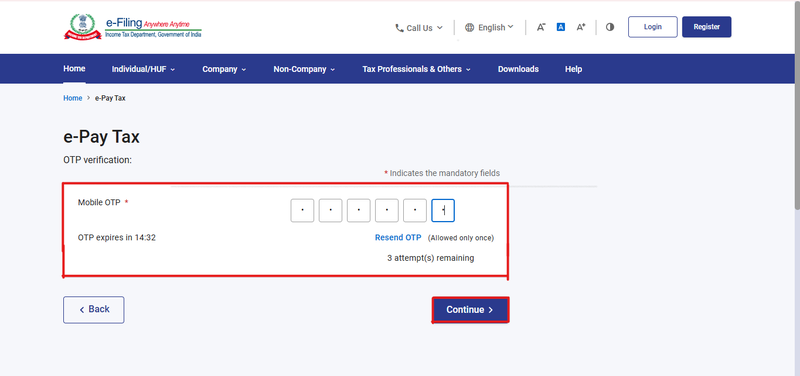
4.1: Enter the 6-digit OTP received on your registered mobile number.
4.2: Click Continue to proceed.
Step-5 Verification Message
5.1: Once the OTP is successfully entered, you will be redirected to the Verification
Page.
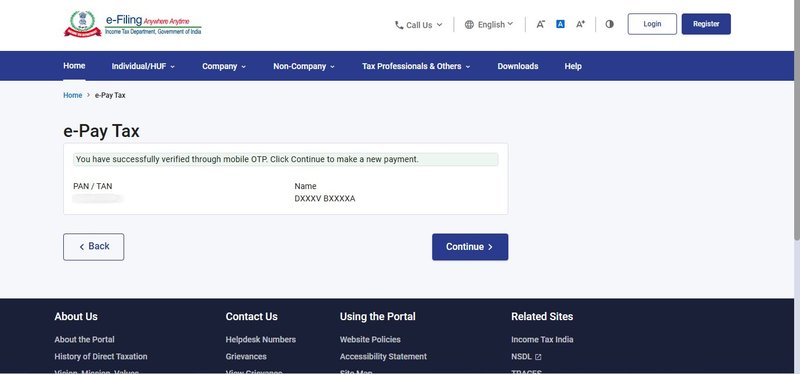
Step-6 E-Pay Tax
6.1: Click continue to proceed to the E-Pay Tax page.
6.2: Select the first box (Income tax) and click proceed.
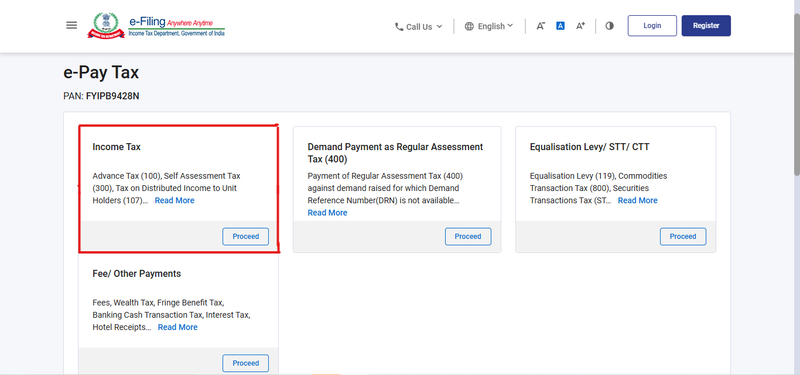
Step-7 Selecting the correct Assessment Year and Payment Type
7.1: After clicking on proceed, choose the assessment year (2024-2025).
7.2: Under the type of payment, select ‘Self-Assessment Tax (300)’ and click on
'Continue'.

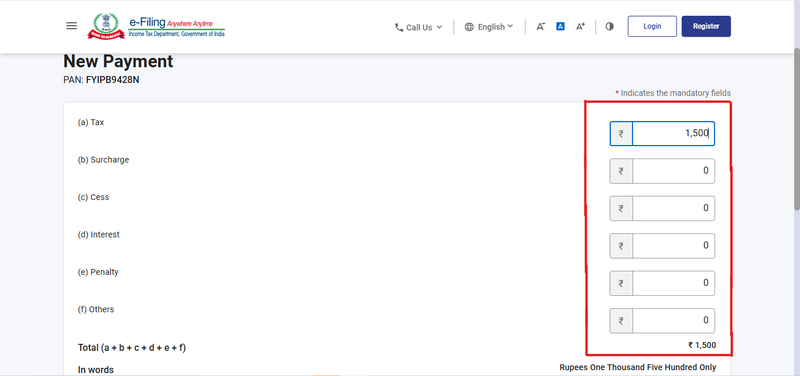
Step-8 Entering Tax Payment Details
8.1: Enter the correct payment details as required.
Step-9 Selecting the Payment Method
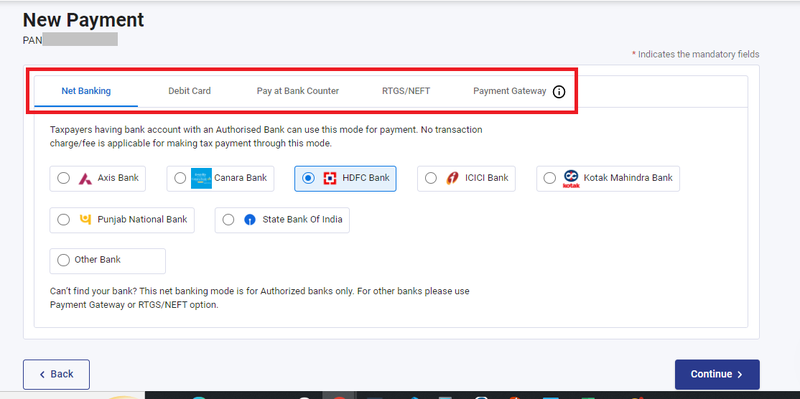
9.1: Choose your preferred payment method and bank, then click Continue.
9.2: Payment can be made through internet banking, debit card, credit card, RTGS/NEFT,
UPI or you can choose to pay at the bank counter
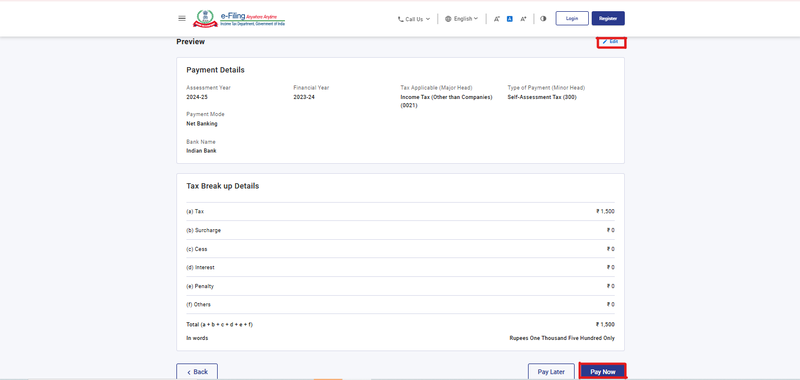
Step-10: Reviewing the payment information
10.1: After clicking on continue, review the challan details.
10.2: Cross-check the payment information to ensure accuracy.
10.3: Click pay now to proceed with the payment or edit to make a change in detail.
Step-11 Submitting the Payment
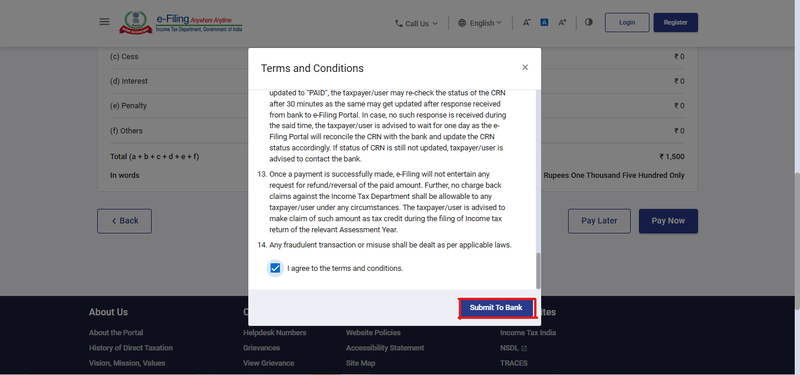
11.1: Tick the checkbox to agree to the terms and conditions.
11.2: Click Submit to Bank to finalize the payment.
STEP-12: Receiving Payment Confirmation
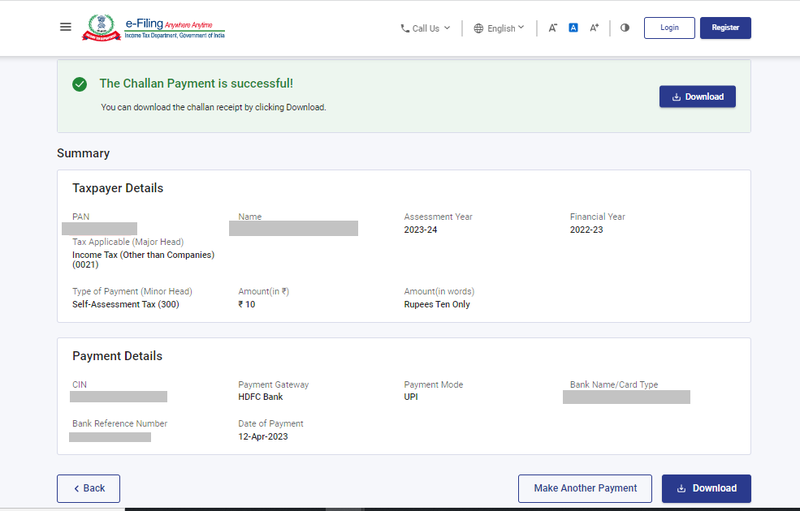
12.1: You will receive a confirmation message once your tax payment is successfully
completed.
12.2: Note: Remember to download the challan as you will need BSR code and Challan
number to complete the return filling process.
 GET STARTED
Try TaxSpanner today.
End-to-end tax compliance for individuals, professionals and businesses — in one platform.